

Many dental clinics believe their practice management software already covers everything they need. After all, it stores patient records, manages appointments, and handles billing. So when someone mentions a CRM, it often feels unnecessary or redundant.
This assumption is one of the most common reasons clinics miss follow-ups, lose enquiries, and struggle with patient conversion. Practice management software and CRMs serve very different purposes, even though they sometimes overlap on the surface.
In this guide, I’ll explain the real difference between CRMs and practice management software in a way that reflects how dental clinics actually operate. You’ll learn what each system is designed to do, where it fits into the patient journey, and when using one, the other, or both together makes sense.
Why Dentists Often Confuse CRMs and Practice Management Software
The confusion between CRMs and practice management software usually starts with how both store patient information. Seeing names, contact details, and appointment histories in one place can make it easy to assume you’re looking at a CRM. On the surface, both systems appear to serve similar purposes. This visual overlap often leads to misunderstandings.
In reality, practice management software is built to support clinical operations. It focuses on scheduling, billing, and record-keeping. Its main goal is to help the clinic run efficiently on the operational side. It’s not designed to manage relationships or nurture prospective patients.
A CRM, by contrast, is designed to support relationships and follow-ups. It helps clinics engage with patients before they commit to treatment. Reminders, notes, and communication tracking ensure enquiries are handled consistently. The emphasis is on converting interest into appointments while building trust.
What Practice Management Software Is Actually Built For

Practice management software is built to support your clinic once someone becomes a patient. Its primary focus is operational efficiency, compliance, and accurate record-keeping. The goal is to help the clinic run smoothly behind the scenes. This ensures patient care is delivered safely and reliably.
These systems typically manage appointment scheduling, clinical notes, and treatment plans. They also handle billing, insurance details, and regulatory documentation. By centralising these functions, staff can focus on delivering care rather than administrative tasks. Everything is designed to streamline day-to-day operations.
What practice management software is not built for is nurturing undecided patients. It doesn’t manage marketing-driven enquiries or track follow-ups for prospective patients. These gaps can lead to missed opportunities if left unaddressed.
What a CRM Is Actually Designed to Do

A CRM, or customer relationship management system, is specifically designed to manage patient communication and follow-up. It is not intended to replace clinical systems or practice management software, but to support interactions before and between appointments.
At a practical level, a CRM helps your clinic:
1. Capture enquiries efficiently: Collect information from calls, website forms, social media, and advertising campaigns in one central location.
2. Track each patient’s decision stage: Know whether a lead is researching, considering treatment, or ready to book, so communication is timely and relevant.
3. Ensure consistent follow-ups: Reduce the risk of missed opportunities by reminding staff to contact patients at the right moment.
4. Organise communication across the team: Everyone stays aligned on patient conversations, avoiding duplication or conflicting messages.
5. Support patient experience, not sales pressure: For dental or medical clinics, the goal isn’t “hard selling” but making sure interested patients don’t fall through the cracks due to missed or delayed follow-up.
A well-implemented CRM becomes a supportive tool that improves efficiency, patient satisfaction, and conversion without overcomplicating staff workflows.
Where Practice Management Software Fits in the Patient Journey
Practice management software (PMS) is essential after a patient has booked an appointment. At this stage, clinical processes, regulatory compliance, and operational efficiency become the primary focus.
A PMS is particularly useful for:
1. Managing appointments efficiently: Scheduling, rescheduling, and reminders are automated, reducing administrative errors and patient confusion.
2. Recording clinical notes accurately: All consultations, treatments, and progress updates are securely documented in one place.
3. Tracking treatment plans and outcomes: Clinicians can monitor patient progress, plan follow-ups, and ensure continuity of care.
4. Supporting compliance and reporting: Helps meet legal, regulatory, and audit requirements, protecting both the patient and the clinic.
While PMS excels after booking, issues often arise when clinics expect it to handle tasks before a patient enquires or books. Activities such as lead capture, follow-up communication, and nurturing prospective patients are better managed through a CRM rather than the PMS.
Where a CRM Fits in the Patient Journey
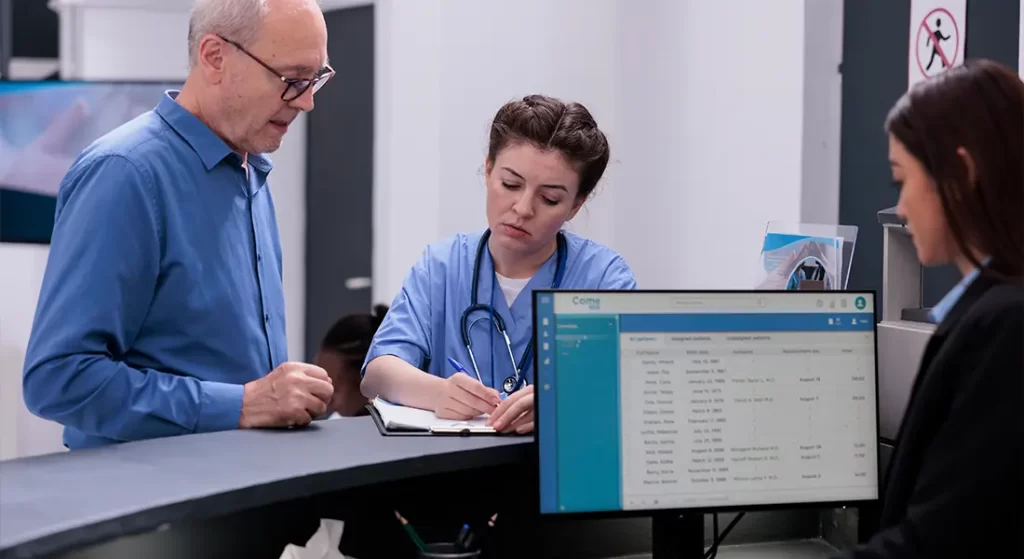
A CRM fits at the start of the patient journey. It supports patients from the moment they make an enquiry until they commit to treatment. Its role is to manage early interactions and ensure nothing is missed. This helps clinics stay organised and responsive.
CRMs capture enquiries from multiple sources. This includes website forms, phone calls, ad responses, and referrals. Every interaction is recorded in one place. This centralisation makes it easier to manage follow-ups consistently.
Without a CRM, many clinics rely on inboxes, handwritten notes, or staff memory. These methods can work for a small number of enquiries. But as volumes grow, details get lost, and patients may fall through the cracks.
A CRM prevents these gaps. It tracks each enquiry and sets reminders for timely follow-up. Staff can see exactly where each patient is in their decision process. This consistency improves both patient experience and conversion rates.
The Critical Gap Between Enquiry and Booking
Most patients don’t book immediately after making an enquiry. They compare clinics, consider costs, consult family, or wait until the timing feels right. This decision-making period can stretch over days or weeks. Patience and consistent engagement are key during this phase.
The gap between enquiry and booking is where many clinics lose potential patients. Practice management software typically doesn’t support this stage. It focuses on managing care after a patient has committed, leaving early-stage follow-ups untracked.
A CRM fills this critical gap. It keeps all enquiries visible and ensures follow-ups are structured and timely. Nothing is left to chance or memory. Staff can engage patients thoughtfully, respecting their pace.
Rather than forcing a decision, a CRM supports patient choice. Gentle reminders and consistent communication build trust. Patients feel informed and reassured. This approach increases the likelihood of converting enquiries into confirmed bookings.
Common Mistake: Treating PMS Notes as a CRM
Many clinics try to use practice management software (PMS) notes to track enquiries from prospective patients. On the surface, it seems convenient after all, everything is in one system. However, this approach often causes confusion and inefficiency over time. PMS is designed to manage clinical records and appointments, not to handle the nuanced workflow of patient lead management.
Key issues include:
- Notes are buried inside patient records
Enquiries and prospective patient details get lost among clinical documentation, making them difficult to find quickly. This slows down follow-up and increases the risk that potential patients are overlooked. - No automated follow-up reminders
Unlike a CRM, PMS notes do not automatically prompt staff to take action. Tasks such as sending follow-up messages, confirming interest, or checking back with a patient rely entirely on memory, which is unreliable. - Limited team visibility: Staff working across reception, sales, or clinical departments may not see the same information. This fragmentation leads to inconsistent messaging and missed opportunities.
- Difficulty tracking enquiry stages: PMS notes do not provide a clear view of where each potential patient is in the decision-making journey. Without this insight, clinics cannot prioritise or personalise communication effectively.
- Enquiries slip through the cracks: Over time, missed opportunities quietly accumulate. Prospective patients may go elsewhere simply because follow-ups weren’t managed systematically.
- Reduced efficiency and accountability: Staff spend extra time digging through notes, and accountability is diminished because there is no centralised system recording who is responsible for each lead.
While using PMS notes for enquiries may feel like a shortcut, it creates hidden inefficiencies and lost revenue. A dedicated CRM, by contrast, ensures enquiries are actively managed, visible across the team, and systematically followed up, improving conversion and patient experience.
Common Mistake: Overloading Staff With Systems

Some clinics recognise the gap left by using only a PMS, but attempt to fill it by implementing overly complex CRMs or multiple disconnected systems. On paper, this seems like a solution but in practice, it often overwhelms staff rather than helping them.
Key issues include:
1. Multiple platforms to update: Staff may be required to enter the same information across a CRM, email tool, marketing platform, and PMS. This duplication increases workload and the likelihood of errors.
2. Lack of clear guidance: Without proper training or defined responsibilities, staff are unsure how or when to update each system. Confusion leads to inconsistent follow-ups and lost opportunities.
3. Decreased adoption: When systems feel heavy or cumbersome, staff often bypass them entirely. A CRM only works if it reduces friction, not adds to it.
4. Integration failures: Systems that don’t communicate with each other create information silos. Teams can’t see a unified view of patient interactions, and valuable data is wasted.
5. Frustration and inefficiency: Overcomplicated setups reduce productivity, slow response times, and can negatively impact patient experience.
The most effective approach is to choose a CRM that integrates smoothly with existing workflows, simplifies tasks, and clearly supports staff rather than burdening them. When the system feels helpful rather than punitive, adoption increases and patient conversion improves.
What CRMs Do Better Than Practice Management Software
CRMs excel at handling uncertainty in the patient journey. They are designed for conversations that are ongoing, incomplete, or undecided. Unlike practice management software, CRMs manage enquiries before a patient commits. This makes them ideal for nurturing prospective patients.
CRMs allow you to track interest levels and schedule follow-ups systematically. Staff can see where each patient is in their decision-making process. Notes, reminders, and timelines keep conversations organised. This ensures no enquiry is overlooked.
CRMs keep context without cluttering clinical systems. Communication histories, preferences, and past interactions are stored in one place. This separation preserves the clarity of both systems. Staff can focus on either patient care or engagement without confusion.
What Practice Management Software Does Better Than CRMs
Practice management software excels at precision and organisation. It manages clinical documentation, treatment notes, compliance, and billing. These are tasks that CRMs are not designed to handle. PMS ensures that operational and regulatory requirements are met accurately.
CRMs, by contrast, focus on relationship management and follow-ups. They support patient engagement before bookings and track enquiries efficiently. They don’t replace the detailed record-keeping and operational functions of a PMS. Each system has its own purpose.
Trying to use a CRM as a substitute for a PMS usually creates risk. Important clinical information can be missed or recorded incorrectly. Billing and compliance processes may also become inconsistent. This can compromise both patient care and clinic operations.
Understanding the boundaries between the two systems prevents frustration and duplication. When each tool is used for its intended purpose, workflows run smoothly. Staff can focus on patient care rather than managing conflicting systems. The combination of CRM and PMS supports both engagement and operational efficiency.
Do Dentists Need Both Systems?
In many cases, yes dentists benefit from having both systems. Clinics that receive regular enquiries, run marketing campaigns, or offer elective treatments find this particularly useful. Each system serves a distinct purpose. Together, they cover the full patient journey.
The CRM manages interest and follow-ups. It tracks enquiries, schedules reminders, and keeps communication consistent. This ensures prospective patients feel supported and remembered. The focus is on nurturing undecided patients toward booking.
The PMS manages confirmed patients and clinical delivery. It handles scheduling, treatment records, billing, and compliance. Staff can focus on care without worrying about lost documentation. Operational efficiency remains intact.
When a CRM Alone May Be Enough
Very small practices with low enquiry volumes may manage without a CRM at first. Personal communication and simple tracking can cover most gaps. Staff can remember enquiries and follow-ups without much difficulty. At this scale, a CRM may feel unnecessary.
However, as soon as enquiries increase, limitations quickly become obvious. Multiple staff members make it harder to track conversations consistently. Relying on memory leads to missed follow-ups and lost opportunities. The risk of errors grows with each additional enquiry.
Even a modest increase in enquiry volume can overwhelm informal systems. What once felt manageable can quickly become chaotic. Staff may duplicate efforts or unintentionally ignore potential patients. This affects both conversion and patient experience.
When Practice Management Software Alone Falls Short
Practice management software alone struggles with leads that don’t convert immediately. It focuses on patients who have already committed to treatment. Early-stage enquiries often require ongoing engagement and gentle follow-up. PMS isn’t built to manage this uncertainty.
Missed calls, website forms, and casual enquiries often fall outside structured workflows. Staff may forget to follow up or struggle to prioritise contacts. Without a system to track these interactions, opportunities slip away unnoticed. Visibility across the team is limited.
This gap can quietly impact growth and conversion. Leads that require nurturing may never progress to bookings. Even well-run clinics can lose potential patients without a dedicated system. The problem is not lack of effort, but lack of structure.
How CRMs Improve Conversion Without Feeling Sales-Driven

CRMs don’t improve conversion by pressuring patients. Their strength lies in creating consistency throughout the patient journey. Every enquiry is tracked, and every interaction is logged. This reliability ensures no opportunity is missed.
Timely responses and remembered conversations make patients feel valued. Follow-ups are gentle and structured rather than aggressive. Patients notice when a clinic stays organised and attentive. This builds trust and confidence over time.
CRMs also help staff maintain context across multiple interactions. Each team member can see previous conversations and next steps. Patients don’t have to repeat themselves or feel rushed. Continuity enhances the overall experience.
The Role of Marketing in CRM Decisions
Clinics investing in marketing benefit significantly from using a CRM. Ads, SEO, and referrals generate more enquiries, which can quickly become difficult to track. Higher enquiry volumes increase the complexity of follow-ups. Without a system, staff may struggle to manage these efficiently.
Without a CRM, marketing spend becomes harder to justify. Enquiries may arrive, but conversions remain unclear. It’s difficult to measure which campaigns are driving results. This lack of visibility makes it challenging to optimise marketing efforts.
A CRM provides structure and clarity. It records where each lead came from, tracks interactions, and schedules timely follow-ups. Teams can see which marketing channels generate bookings. This ensures that investment translates into measurable outcomes.
Integration: Making Both Systems Work Together
The most effective setups let CRMs and practice management software communicate seamlessly. Data flows between systems without duplication or errors. Each system handles the tasks it’s designed for. This ensures clarity and efficiency across the clinic.
Once a patient books, key details transfer into the PMS automatically. Appointment times, treatment plans, and billing information are captured accurately. Staff no longer need to enter the same information twice. This reduces errors and saves time.
After booking, the CRM steps back until it’s needed again. It becomes useful for follow-ups, reactivation, or marketing campaigns.
Common Signs You Need a CRM
In modern medical and dental practices, managing patient enquiries efficiently is just as important as providing high-quality clinical care. As your clinic grows, it becomes increasingly challenging to keep track of calls, forms, emails, and marketing leads. A Customer Relationship Management (CRM) system helps you stay organised, maintain consistent communication, and ensure no potential patient slips through the cracks.
If your clinic struggles with managing patient enquiries efficiently, a CRM may be the solution. Watch for these signs:
- Enquiries are handled inconsistently: Some leads get prompt attention while others are delayed or forgotten. This inconsistency can reduce patient trust and lower conversion rates.
- Follow-ups rely on memory: Staff may remember to call certain patients but forget others. Relying on memory creates gaps and missed opportunities.
- Missed calls aren’t tracked: When calls are missed or not logged, it’s difficult to know who to contact and when. This can frustrate potential patients and lead to lost bookings.
- Marketing performance is unclear: Without a CRM that tracks leads from ads, forms, and campaigns, you can’t tell which marketing efforts actually generate enquiries. This makes optimisation guesswork.
- Different staff give different responses: Inconsistent messaging from staff creates confusion and undermines professionalism. A CRM ensures everyone follows the same process and provides reliable information.
These issues often develop gradually rather than suddenly. Recognising them early allows you to implement a CRM before inefficiencies and lost leads compound.
Choosing the Right CRM for a Dental Clinic
The best CRM isn’t necessarily the one with the most features. What matters most is whether your team will actually use it. A system that sits idle provides no benefit, no matter how advanced it is. Adoption is the key to success.
Look for clarity and ease of use. Staff should be able to navigate the system without confusion. Workflows should align naturally with daily dental operations. This ensures the CRM supports rather than disrupts work.
Choose a system relevant to dental practice needs. Avoid CRMs designed purely for aggressive sales environments. Features should support patient engagement and follow-ups, not high-pressure selling. The goal is trust and consistency, not pushing conversions.
Implementation Matters More Than Software Choice
The best CRM isn’t necessarily the one with the most features. What matters most is whether your team will actually use it. A system that sits idle provides no benefit, no matter how advanced it is. Adoption is the key to success.
Look for clarity and ease of use. Staff should be able to navigate the system without confusion. Workflows should align naturally with daily dental operations. This ensures the CRM supports rather than disrupts work.
Choose a system relevant to dental practice needs. Avoid CRMs designed purely for aggressive sales environments. Features should support patient engagement and follow-ups, not high-pressure selling. The goal is trust and consistency, not pushing conversions.
Avoiding Over-Automation in Dental Settings
Automation has its limits in healthcare. Patients often seek reassurance and personal attention, not robotic replies. Over-automating interactions can feel impersonal and reduce trust. The goal is to support, not replace, human engagement.
Automation works best for practical tasks. Appointment reminders, follow-up scheduling, and task notifications can be handled automatically. These features save staff time and ensure consistency. Routine organisation is where automation adds real value.
Conversations and relationship-building should remain human-led. Staff interactions provide context, empathy, and clarity that automation cannot replicate. Personalised communication reassures patients and strengthens confidence. This is particularly important in dental care, where trust is key.
FAQs:
1. What is the main difference between a CRM and practice management software for dentists?
The main difference lies in their purpose. Practice management software focuses on operational tasks such as appointment scheduling, clinical records, treatment tracking, and billing. Its goal is to ensure that patient care runs smoothly once someone has booked an appointment. A CRM, on the other hand, is designed to manage communication, follow-ups, and patient engagement before a booking is made, ensuring enquiries are not missed and prospective patients are nurtured through their decision-making process.
2. Can a dental clinic function effectively with just practice management software?
For clinics with a low volume of enquiries and simple workflows, practice management software can manage patient records, appointments, and billing adequately. However, once enquiry volumes increase, or multiple staff members handle leads, relying solely on PMS often results in missed follow-ups and lost opportunities. It is not built to track potential patients, so without a CRM, early-stage engagement can become inconsistent.
3. Why do some clinics confuse CRM and practice management software?
The confusion usually comes from seeing overlapping data such as patient names, contact details, and appointment histories. On the surface, both systems store similar information, which can make it appear as though a practice management system is a CRM. In reality, PMS supports clinical and operational efficiency, whereas a CRM is built to manage relationships, communication, and conversion before a patient commits to treatment.
4. How does a CRM support the patient journey before booking?
A CRM captures enquiries from multiple sources like calls, website forms, referrals, and advertising campaigns, and keeps them organised in one central system. It allows staff to track where each patient is in the decision-making process, schedule timely follow-ups, and maintain consistent communication. This structured approach ensures that patients feel supported, their questions are answered, and they are guided through the decision-making process without feeling pressured.
5. Is it possible to rely solely on a CRM in a dental clinic?
Very small practices with limited enquiries may manage with only a CRM initially, especially if their focus is on nurturing a few prospective patients. However, as the clinic grows, using only a CRM becomes impractical because it does not handle clinical documentation, billing, or regulatory compliance. Eventually, practice management software becomes essential to manage operational and clinical tasks effectively alongside the CRM.
6. How do both systems work together in a dental clinic?
The most effective setup is where the CRM and PMS integrate seamlessly. Enquiries are managed in the CRM until a patient books, at which point relevant information is transferred to the PMS for scheduling, treatment records, and billing. This integration ensures that each system handles the tasks it is designed for, reduces duplication, and keeps both communication and clinical records organised without overburdening staff.
7. Can over-automation harm patient engagement in dental clinics?
Yes, over-automation can make communication feel impersonal and reduce trust. Patients often seek reassurance, clarity, and personal attention from clinic staff. Automation should be used for practical tasks such as reminders and scheduling, while human interactions remain central for relationship-building and nuanced communication. The right balance ensures efficiency without compromising the patient experience.
8. What are common mistakes when using PMS and CRMs?
Common mistakes include trying to use PMS notes to track prospective patients, overloading staff with multiple systems, and failing to train staff properly on CRM use. Attempting to use PMS for lead management can hide enquiries within clinical records, resulting in missed follow-ups, inconsistent communication, and lost conversions. Similarly, overly complex CRMs or disconnected tools can overwhelm staff and reduce adoption.
9. How does a CRM improve patient conversion without being sales-driven?
A CRM improves conversion by creating consistency and organisation throughout the patient journey. Timely follow-ups, remembered conversations, and personalised engagement make patients feel valued rather than pressured. By tracking enquiries and interactions systematically, clinics can ensure that potential patients receive attention and support, which builds trust and increases the likelihood of booking without using aggressive sales tactics.
10. When should a dental clinic consider implementing a CRM?
A clinic should consider a CRM when enquiries increase, multiple staff handle leads, or the patient decision-making process becomes complex. Signs include missed calls, inconsistent follow-ups, unclear marketing results, and difficulties keeping all staff aligned on patient communication. Introducing a CRM at the right stage ensures efficiency, enhances patient experience, and prevents potential patients from being lost due to unstructured processes.
Final Thoughts: Connecting Enquiries, Systems, and Sustainable Growth
Understanding the difference between a CRM and practice management software is less about technology and more about clarity. Each system serves a distinct role in the patient journey. When clinics expect one tool to do everything, gaps appear quietly through missed follow-ups, lost enquiries, and inconsistent communication. When each system is used for what it’s actually designed to do, workflows become calmer, more predictable, and far easier for staff to manage.
The real advantage comes when your CRM, practice management software, and marketing activity are aligned. Enquiries are captured properly, follow-ups are structured, and once a patient is ready to book, clinical systems take over seamlessly. This removes pressure from reception teams, improves patient experience, and ensures marketing investment translates into real appointments rather than unanswered interest. At Clinic Engine, we work as a specialist dental marketing company focused on building complete PPC ecosystems for private clinics. Our approach combines data-driven strategy with patient-focused communication, ensuring campaigns attract the right type of enquiries rather than just traffic. We help practices refine campaign structure, improve landing page performance, and implement follow-up systems that reliably turn enquiries into confirmed bookings